Teaching the arm in a simulator, and a cube-finder that trained itself
Training a real arm by trial and error is slow and risky, so we gave the arm a twin inside a physics simulator — the same arm, down to the lengths of its links — where it can practise for free. Then we used that simulator to teach the robot to see: hundreds of practice pictures that label themselves, and a small model, trained on our own PC, that now finds the coloured cubes in a photo to within a few pixels. No cloud, no outside service.
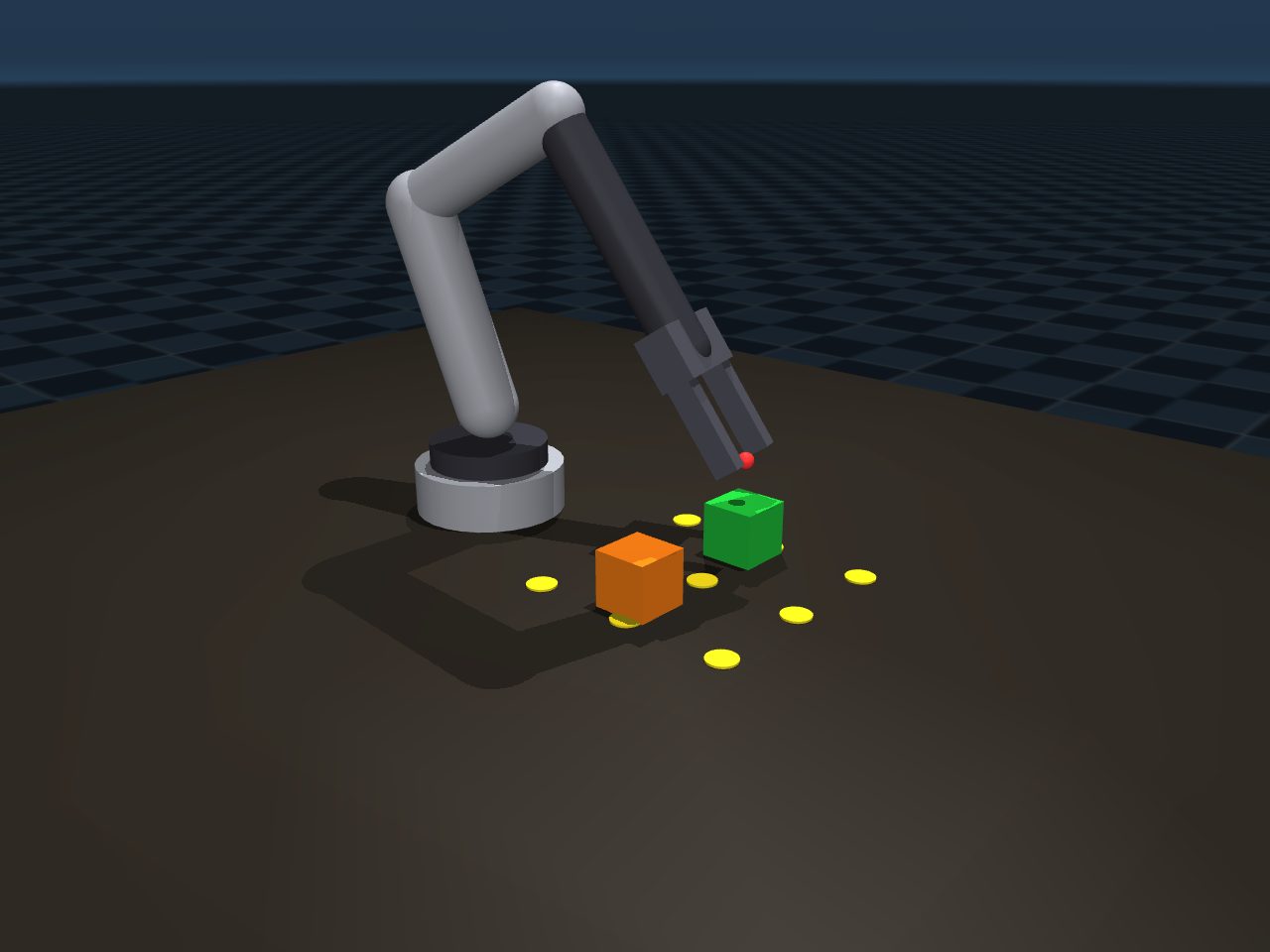
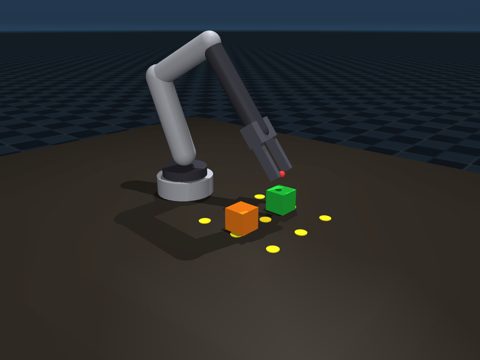
Our arm, rebuilt in a physics simulator, running a reach-and-approach over the cubes — tested entirely in software, where a mistake costs nothing.
Video: Claude (MuJoCo simulation)0:08No sound
What we did
- Built a digital twin of our Hiwonder LeArm in a physics simulator (MuJoCo): the same link lengths and the same joints. Its fingertip lands exactly where the real arm's own maths says it should.
- A live 3-D window shows the simulated arm running a reach-and-approach over green and orange cubes, driven by the very same maths that drives the real arm.
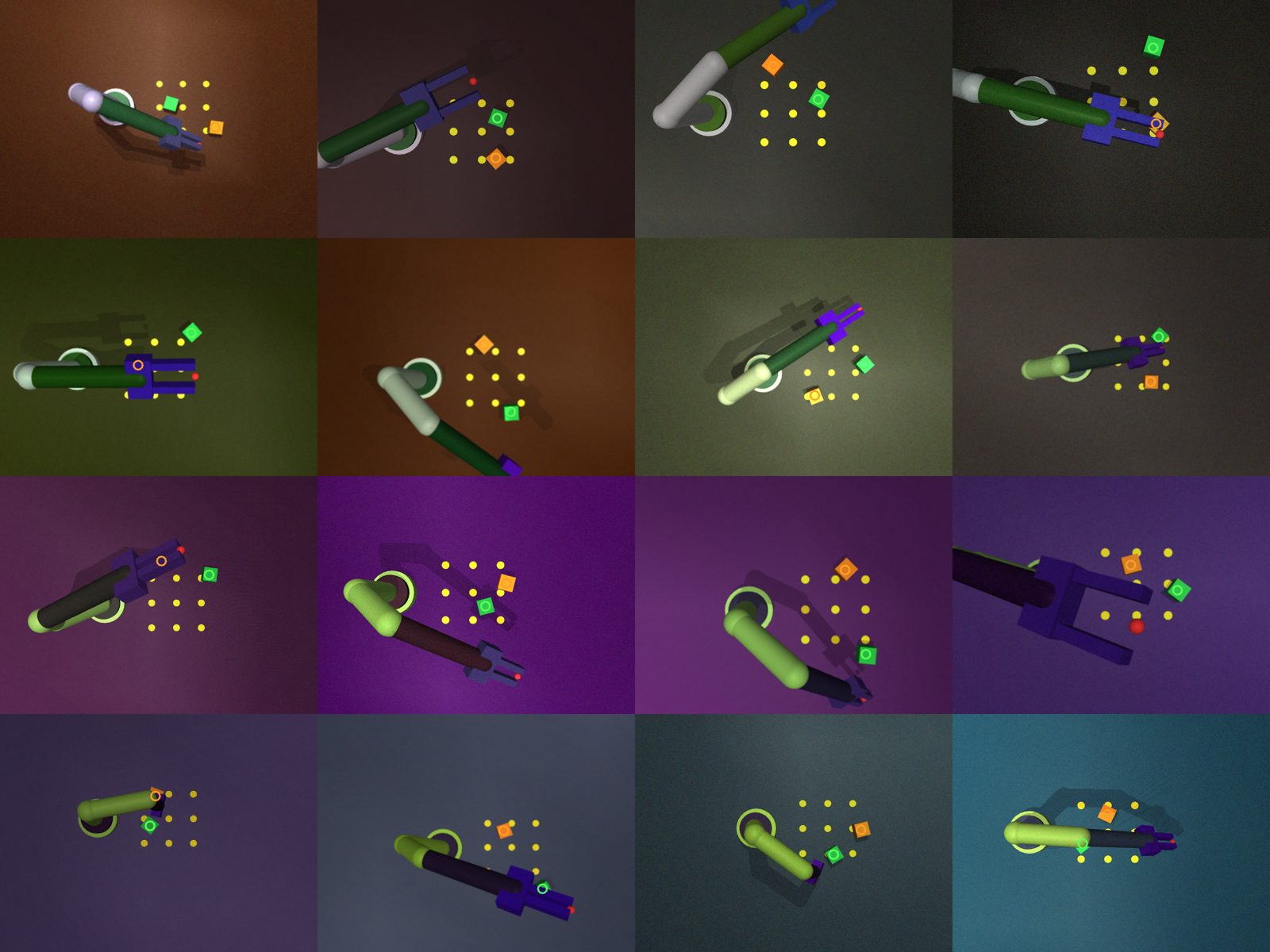
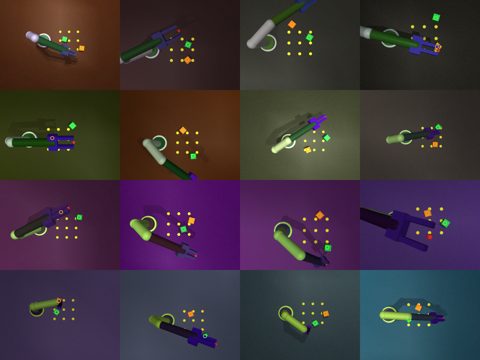
- Had the simulator make hundreds of practice photos of the cubes — each with the lighting, surface colours, camera angle and image grain changed at random — and label every one by itself, because the simulator always knows where each cube is.
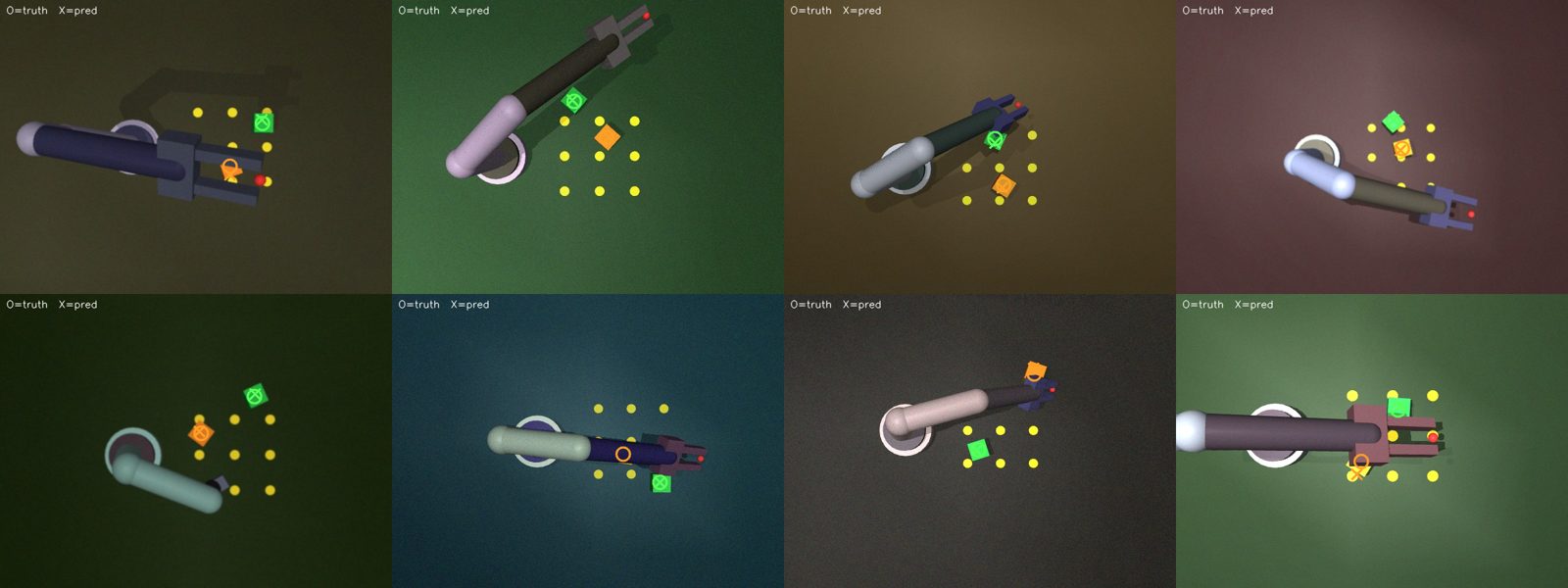
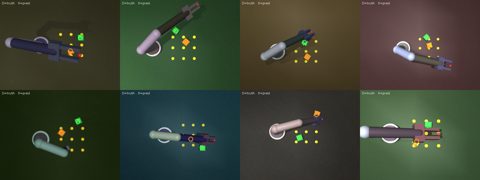
- Trained a small model on those pictures to find the cubes. On pictures it had never seen, it points to each cube within about 4–5 pixels of the true spot in a 640×480 image.
- Joined the two halves in the simulator: the cube-finder's answer now drives the arm, so it finds a cube and reaches for it with no coordinates typed in — detection to desk within a few millimetres.
- The whole 'eye' is a 60 KB file that runs on our own PC — no cloud, no outside service.
What we learned
- Digital twin
- A twin is a faithful copy of the real machine inside a physics simulator. Make the copy close enough — same arm lengths, joints and limits — and what we teach the copy carries over to the real one. Mistakes in the copy cost nothing and never bend a motor.
- Why train in simulation
- A real arm can take thousands of tries to learn a task, and every try risks a crash. In a simulator those tries are free, fast, and can run many at once. The hard part is making the copy close enough to reality that the lessons still hold — which is why we matched our twin to the real arm's own maths.
- Labelling for free
- A model learns to find a cube from many example photos, each marked with where the cube is. Marking photos by hand is slow and dull. In the simulator the exact position is already known, so every practice photo labels itself.
- Domain randomisation
- If every practice picture looks the same, the model learns that one look and fails on anything else. By changing the lighting, colours, camera angle and grain at random in every picture, we force it to learn the cube itself — which is what helps a model trained only in simulation cope with a real camera later.
- Pointing, not just spotting
- Instead of asking 'is there a cube?', the model lights up a heat-map where it thinks each cube's centre is, and we read off the brightest point. That gives an exact position in the picture, not just a yes or no.
Numbers
| Simulated fingertip vs. the real arm's maths | 0.0 mm at the rest pose |
|---|---|
| Practice pictures, each labelled by the simulator | 800 |
| Cube-finder error on unseen pictures (640×480) | about 4.6 px typical |
| Size of the trained 'eye' | 60 KB |
| Where it runs | our own PC, no cloud |
Problems and fixes
The simulated base joint would not turn, however hard it was pushed.
Fix: The arm's collision shells were overlapping and jamming it; telling the simulator to ignore contact between neighbouring parts freed it.
The first cube-finder was badly off — its guesses landed far from the cubes.
Fix: Two causes: a weak way of reading the position out, swapped for the heat-map method; and a bug in the practice pictures, cleaned up below.
The practice backgrounds slowly drifted into wild neon colours over many pictures and camouflaged the cubes.
Fix: Each picture now varies from the original scene, not from the previous picture, so the colours stop drifting. The finder's typical error dropped from far off to about 4.6 px.
Next
- Point the same finder at our real camera's pictures — just looking, nothing moving — to see how well a model trained only in simulation reads real cubes.
- Then let the real arm act on what it sees, carefully, with a small camera on the gripper for the final centring.
Photos and videos
 Open the photo large
The simulated LeArm: the same link lengths and joints as the real one. Its fingertip matches the real arm's own maths to a fraction of a millimetre.
Photo: Claude (MuJoCo simulation)
 Open the photo large
A few of the practice pictures. Same scene, but the lighting, colours, camera angle and grain are changed on purpose in every one — and each is labelled by the simulator automatically.
Photo: Claude (MuJoCo simulation)
 Open the photo large
The trained cube-finder on pictures it had never seen. × is the model's guess, ○ the true spot — they land on top of each other.
Photo: Claude (MuJoCo simulation)
The two halves joined: the camera finds each cube, then the same maths that drives the real arm reaches for it — with no positions typed in. Left, the overhead camera with the finder's marks; right, the arm in 3-D.
Video: Claude (MuJoCo simulation)0:06No sound